


In short: A no-code chatbot platform is sustainable if business departments can maintain the chatbot themselves after go-live and deploy changes without creating IT tickets. Ten criteria are decisive: editing by business departments, knowledge from integrated sources, separated environments, versions with rollback, pre-release testing, predefined processes alongside free-form answers, integrations without code, configurable handoff to humans, clear analytics, and roles with approval workflows. Test these criteria during the demo appointment with real-life tasks.
Why no-code only matters after go-live
Up until go-live, a project team typically works with vendor support. After that, everyday operations begin. A product is phased out, a deadline changes, or a question arises hundreds of times for which the bot has no answer. Whether these changes go live on the same day or spend three weeks waiting in an IT ticket determines answer quality in year two.
For the overall vendor selection—including data residency, architecture, and integrations—the Chatbot Vendor Selection Guide provides eight criteria. This article takes a deeper look at one of them: ease of use for business departments.
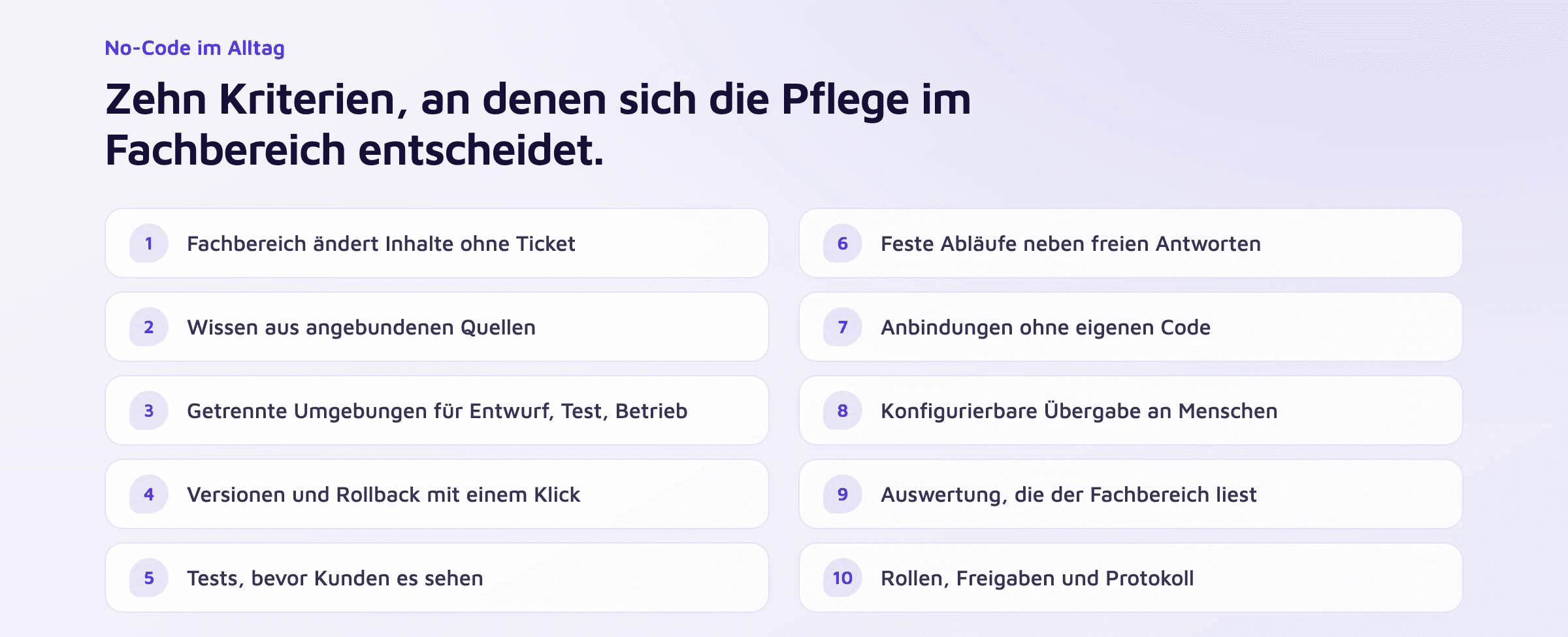
The ten criteria
1. Business departments change content without tickets
A team member from customer service corrects an answer, adds a dialog step, and publishes the change independently. Ask how many steps this requires and how long it takes before the change reaches customers.
2. Knowledge comes from connected sources
Older chatbots require setting up every question and answer individually. With a product range of hundreds of items, this is no longer manageable. A modern platform ingests documents, websites, and knowledge systems like SharePoint or Confluence and keeps them synchronized. Maintenance then takes place in the source, and the chatbot adopts the change.
3. Separate environments for drafting, testing, and production
Changes are created in a development environment, verified in a test environment, and only then deployed to production. Without this separation, business teams test on the live system, and your customers are the first to see errors.
4. Versions and one-click rollback
Every deployment creates a version. If something goes wrong after an update, the business department can restore the previous state themselves. Ask whether this takes a single click or requires a support request with the vendor.
5. Testing before customers see it
A testing area shows how the bot responds to a new question before the change is published. Saved test cases that rerun after every change are particularly valuable, ensuring that a fix in one place does not break an answer elsewhere.
6. Fixed workflows alongside free-form answers
The bot answers knowledge-based questions from sources. In contrast, processes like booking appointments, handling returns, or capturing leads require defined steps with validated inputs, such as email addresses, phone numbers, or dates. A robust platform covers both within a single tool. Why this combination performs more reliably than an autonomous AI agent is explained in the article on AI agents and hybrid architecture.
7. Integrations without custom code
CRM, ERP, e-commerce, and knowledge systems are connected via ready-made connectors. For everything else, a documented API is needed that your developers or the vendor can use. What this looks like for SAP, Salesforce, and HubSpot can be found in the guide to CRM and ERP integration.
8. Configurable handoff to humans
The business department defines when the bot hands over, to which team, and with what context. Verify whether the handoff also works with existing live chat tools and whether the agent can see the full conversation history.
9. Analytics that business departments can understand
Automation rates, drop-offs, handoffs, and unanswered questions belong in a view that is easy to understand without data analysis skills. Most valuable is a direct path from an unanswered question to the change that answers it in the future.
10. Roles, approvals, and audit logs
Not everyone who edits content should also publish it. The platform separates these roles, logs every change, and supports single sign-on and two-factor authentication. This is also a matter of compliance: in dispute cases, you must be able to prove which version of an answer was live at any given time.
Where no-code reaches its limits
No-code covers ongoing maintenance. The initial integration of an ERP with custom logic, authenticating logged-in customers, or mapping data fields remain technical tasks handled once by IT or the vendor.
Quality platforms make this distinction explicit. With Mercury.ai, the customer provides system access once, approves data fields, and signs off on the result. Mercury.ai handles integration, mapping, quality assurance, and maintenance in the event of API changes. Standard connectors are set up in a few days, custom integrations in two to four weeks.
Five tasks for the demo meeting
A visual builder looks simple in any presentation. Therefore, ask the vendor to solve five tasks live during the meeting:
Change an existing answer and publish it. Time the process.
Upload one of your own datasheets and ask a question about it.
Roll back the change from task one.
Ask a question the bot cannot answer and demonstrate the handoff to an agent.
Display yesterday's questions that remained unanswered.
If any of these tasks requires a developer, you know who will end up maintaining the chatbot in daily operations.
How Mercury.ai meets these criteria
No-Code Studio: Dialogs, copy, and workflows are edited without coding skills. Changes pass through development, testing, and production, complete with sandbox environments, versions, and one-click rollback. Inputs like email addresses, phone numbers, or dates are validated instantly. Learn more on the page about the No-Code Studio.
Knowledge Hub: Word, Excel, CSV, PDF, and images with OCR, as well as sources like SharePoint, Confluence, and websites, are consolidated into a knowledge base that synchronizes in near real-time. Learn more on the page about the Knowledge Hub.
Agent Desk: Handoff with full conversation history to your own team, or alternatively to existing tools like Zendesk or Userlike.
Analytics & Insights: Automation rate, drop-offs, handoffs, and topic clusters combined in a single view.
Access: Role- and tenant-based access control, single sign-on, two-factor authentication, and comprehensive audit logging.
Go-live usually occurs within four to six weeks. Mercury.ai collaborates with the business team on the initial dialog design, after which ongoing maintenance remains fully with the business department.
Frequently asked questions
What is a no-code chatbot platform?
Software that allows business departments to set up and maintain chatbots without coding. Dialogs, answers, and workflows are edited via a graphical interface, and knowledge is imported from integrated sources.
Does no-code eliminate the need for IT?
IT is needed for integrations, single sign-on, security reviews, and approvals—usually on a one-off basis. Ongoing maintenance of content and dialogs is handled by the business department.
What is the difference between no-code and low-code?
Low-code platforms additionally support custom scripts and programming logic. This expands capabilities while shifting part of the maintenance workload back to team members with development skills.
How long does implementation take?
With Mercury.ai, typically four to six weeks until go-live, including source integration, dialog design, and testing.
Does the hosting location matter for no-code platforms?
Yes, because even an easy-to-use platform processes customer data. What matters when choosing a location is explained in the article on chatbot hosting in Germany.
How much does a no-code chatbot platform cost?
This depends on channels, sources, and workflows. Mercury.ai charges a fixed price; conversations are unlimited under a fair-use policy, as are agent seats in Agent Desk. The packages can be found on the Pricing page.